
Fix an email that didn't send
Find an email that failed in the Outbox, see why, and retry, edit or discard it.
Last reviewed
Every email waits briefly in the Outbox on its way out. Almost all of them leave within seconds and you never see them. The ones that don't stay in the Outbox with the reason, so you can put them right.
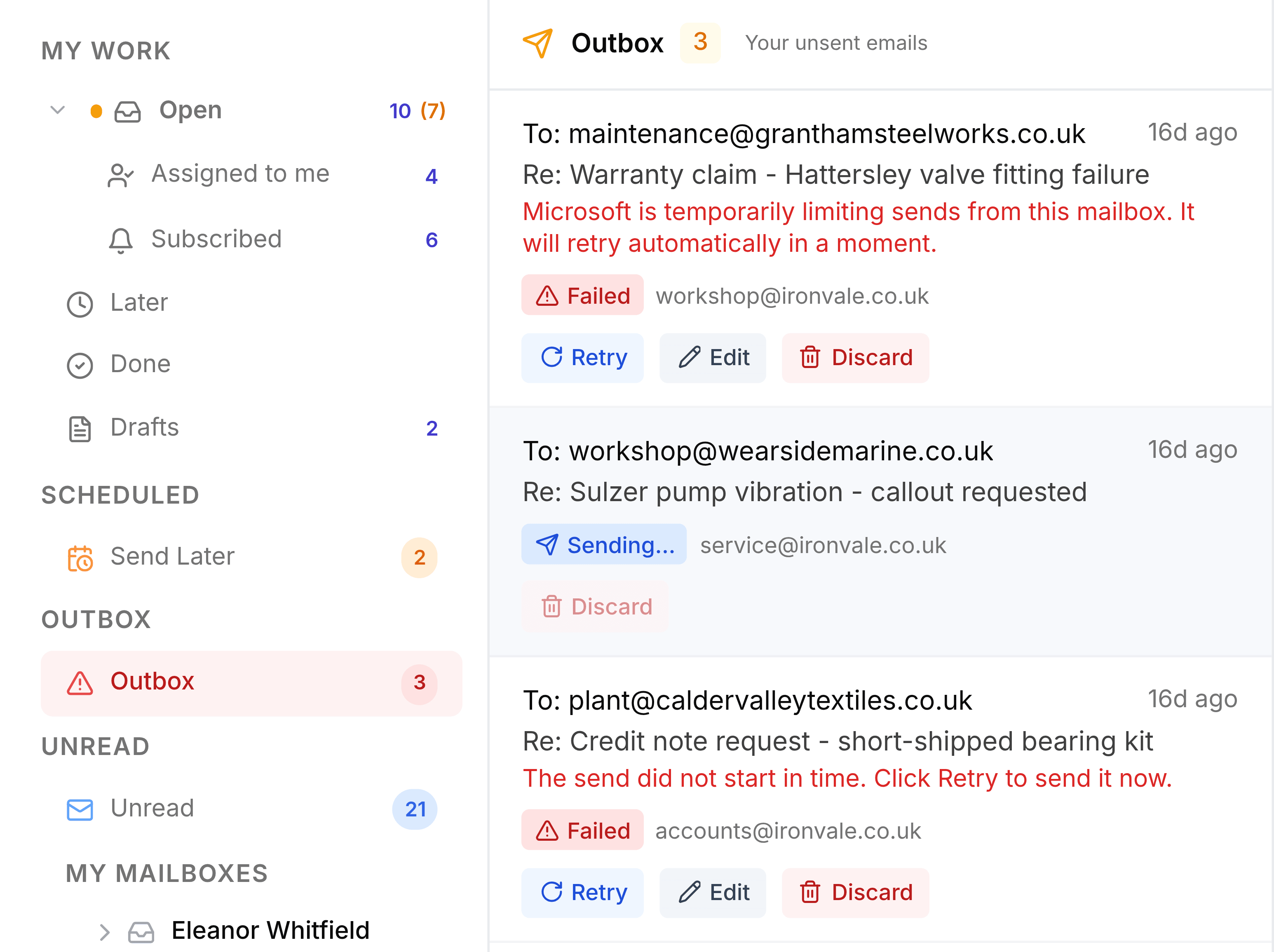
You were told an email couldn't be sent
TeamEmail tells you when a send fails: a message on screen saying Your email could not be sent, and a notification under the bell saying Email failed to send.
Select Outbox in the sidebar. It only appears while something is in it, and turns red when something has failed. The failed email shows Failed with the reason in red beneath its subject. Then:
- Select Retry to try again as it is.
- Select Edit to move it back to Drafts, where you can fix it and send it again.
- Select Discard to delete it for good. There's no confirmation and no way back.
Failed emails stay in the Outbox for 15 days, then they're removed.
The reason says the mailbox connection has expired
TeamEmail can no longer send from that address until its Microsoft connection is renewed. Go to Settings > Connections > Microsoft Outlook, select Reconnect on that mailbox and sign in. Then come back and select Retry. If you can't see the mailbox or the button, ask a TeamEmail administrator.
The reason says a recipient was rejected
An address in To or CC doesn't exist or wouldn't accept mail. Select Edit, correct the address in the draft, and send it again.
The reason says the message is too large
Microsoft limits the size of an email, usually to about 35 MB including attachments. Select Edit, remove or shrink the attachment, or share the file as a link, then send again.
The reason says TeamEmail couldn't confirm it was delivered
The email may have gone even though TeamEmail didn't hear back. Check the mailbox's Sent Items before you select Retry, or the customer may get it twice.
An email has said Queued or Sending... for a long time
Queued means it's waiting its turn, or waiting between automatic retries. If it's still Queued 20 minutes after you sent it, it's marked as failed and you can select Retry. Sending... means it's being sent right now: give it a few minutes. You can Discard a Queued email, but not one that's Sending.