
Inbox
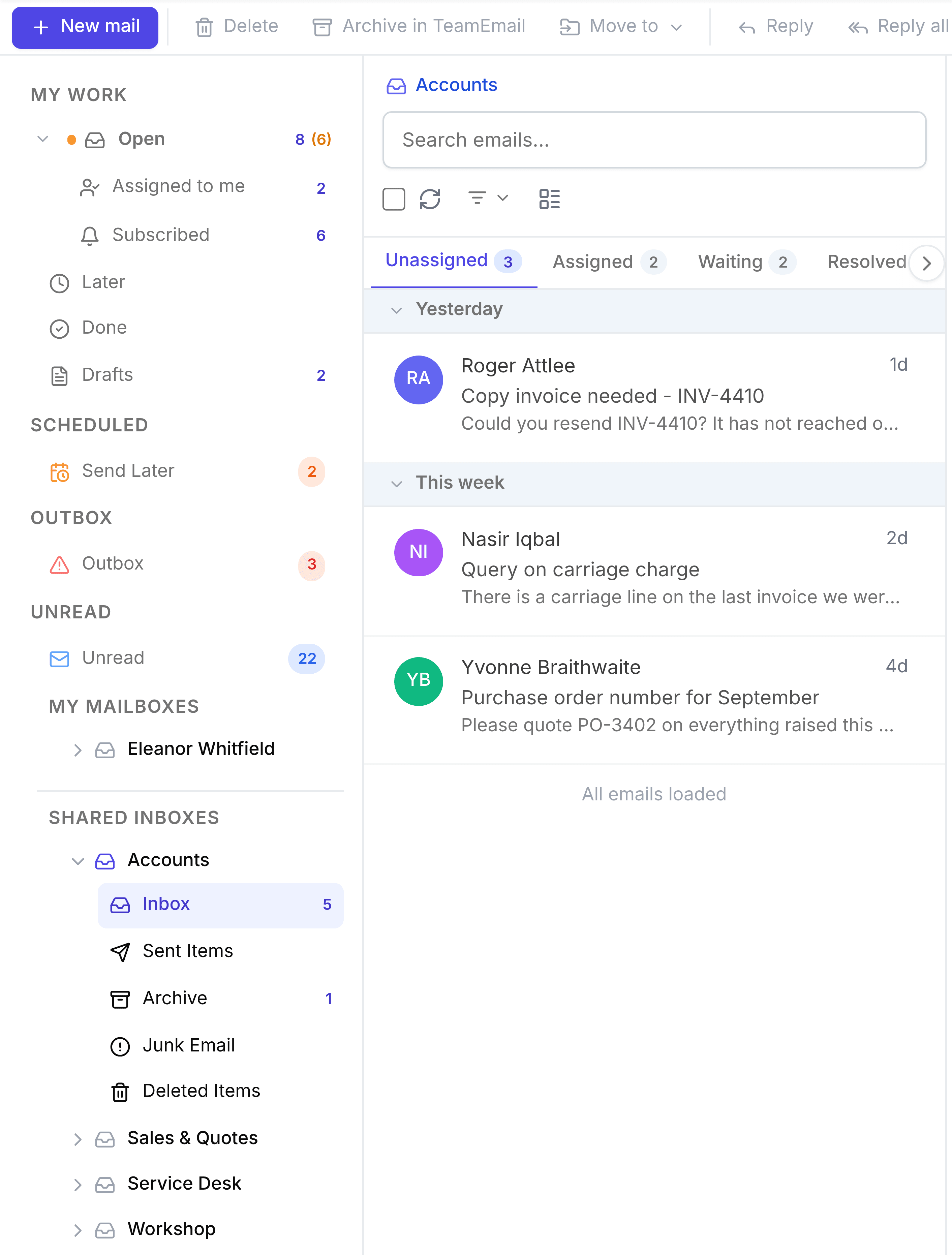
Mail as it arrives in a shared inbox, sorted into four tabs by who's dealing with it.
Last reviewed
A shared inbox's Inbox holds mail as it arrives, visible to every member. Above the list, four tabs sort it by where each conversation stands, so the team can see at a glance what nobody has picked up.
The four tabs
- Unassigned
- Open, with nobody's name on it. New mail lands here. This is the queue the inbox exists to clear, and the tab the Inbox opens on.
- Assigned
- Open, and someone owns it, so everyone else can leave it alone.
- Waiting
- Marked Waiting, or snoozed from the inbox. The next move is outside the team.
- Resolved
- Marked Done. Finished, but kept here for reference.
The number on each tab is the count for the whole team, not just you. Archived conversations aren't on any tab: they're in the Archive folder.
What moves a conversation between tabs
- Assigning moves it from Unassigned to Assigned. Unassigning moves it back.
- Waiting, or a snooze from the Inbox, moves it to Waiting.
- Done moves it to Resolved.
- A new message from the customer brings a Waiting or Resolved conversation back to Unassigned or Assigned.
- Archiving takes it off the tabs altogether.
Tools above the list
- Search emails... searches this mailbox. See Find a conversation.
- The checkbox selects the conversations in view, up to 50 at a time, so you can act on several at once from the toolbar at the top of the page.
- Refresh reloads the list.
- The filter narrows the list to Unread, Flagged, To me or Has files.
- The view button switches between a compact list and a roomier one with previews, tags and owners.
On the Assigned tab, Assignee and Tag filters appear when there's more than one owner or any tags to filter by, for questions like "what has Nadia got?".