
Send Later
Schedule an email or reply to go out at a time you choose, then find, change or cancel it before it goes.
Last reviewed
Write an email now and have it go out later: first thing tomorrow, when a customer's office opens, or after a delivery is due. Until then it waits under Send Later, where you can still change it or call it off.
Schedule it
Select the arrow beside Send email, then select Send later.
Select a time, such as Tomorrow 9am or 1 week. The options from 2 days onwards send at 9:00 AM on that day.
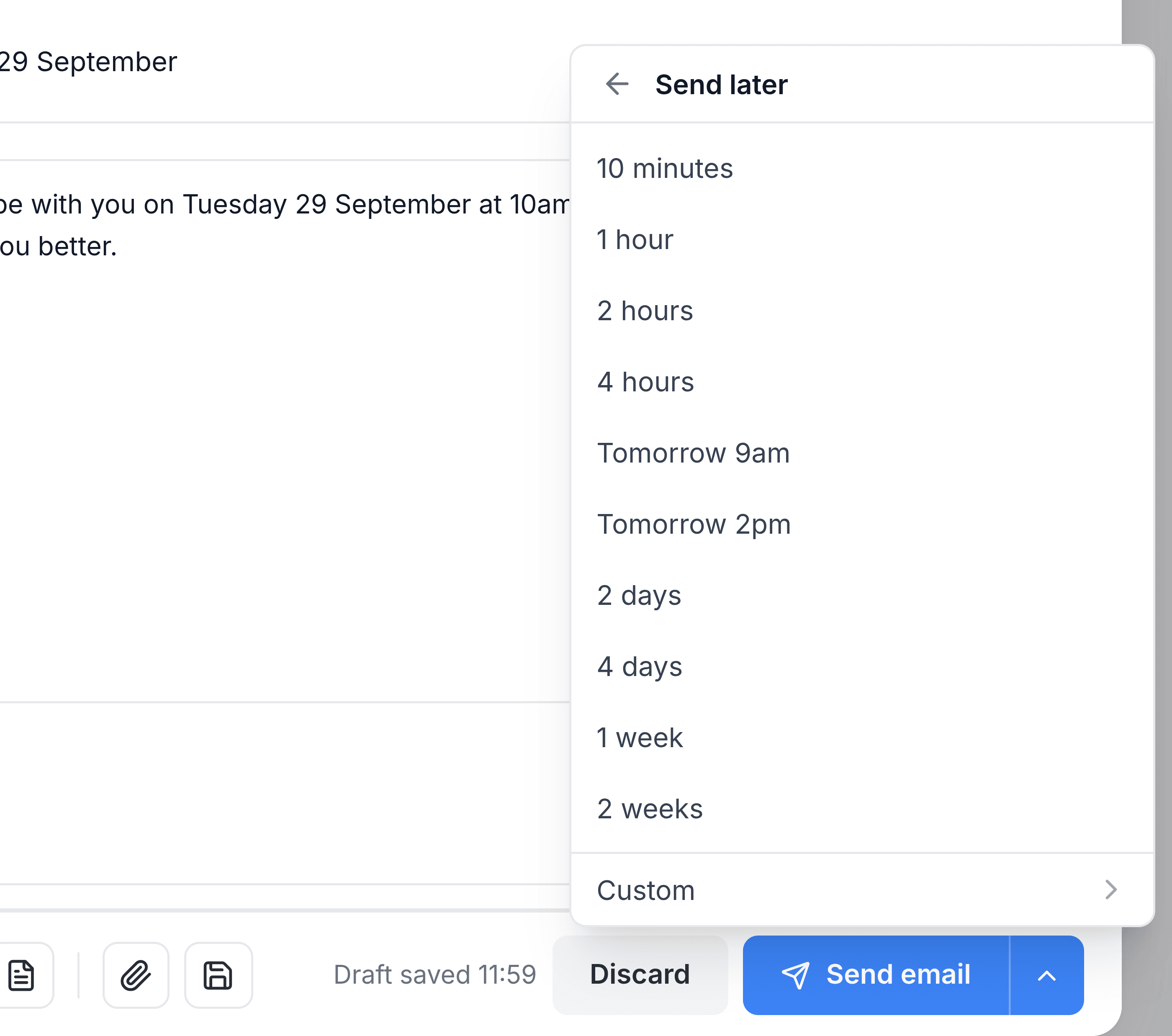
For any other time, select Custom. Choose a Date and a Time, then select Schedule send.
The composer closes, and a message confirms the time: Email scheduled for date and time. Times are in your computer's time zone.
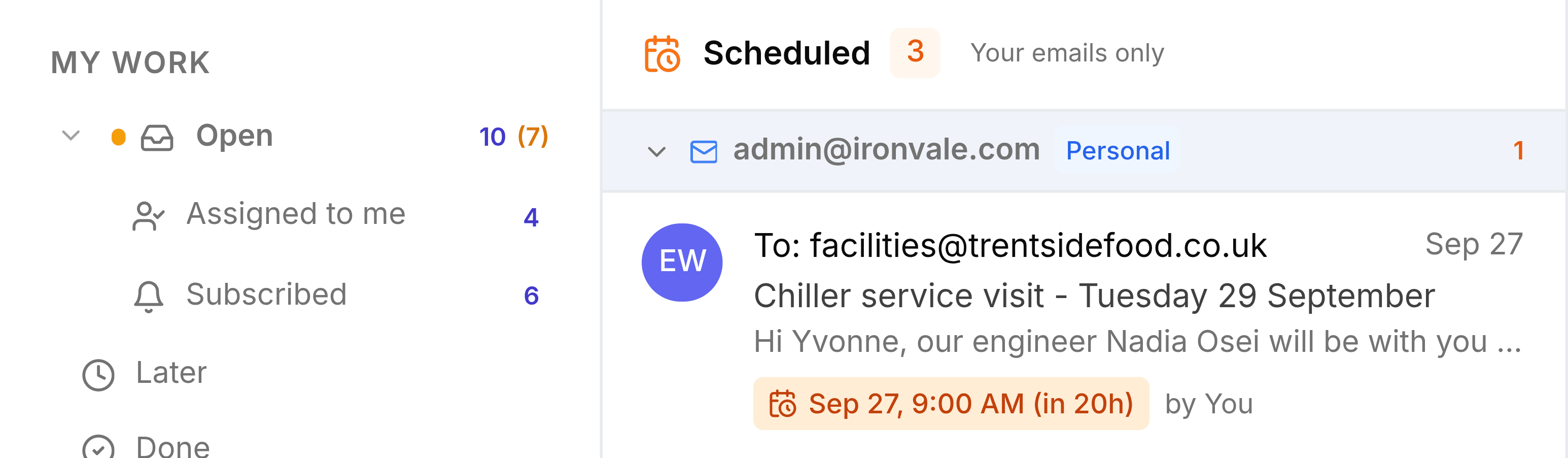
You're done when the email is listed under Send Later with the time you chose.
Find it again
Send Later appears in the sidebar, under Scheduled, while at least one email is waiting. The list groups emails by the address they'll go out from, and shows when each will send and who scheduled it. In a shared inbox you'll see your teammates' scheduled emails as well as your own.
Change it or call it off
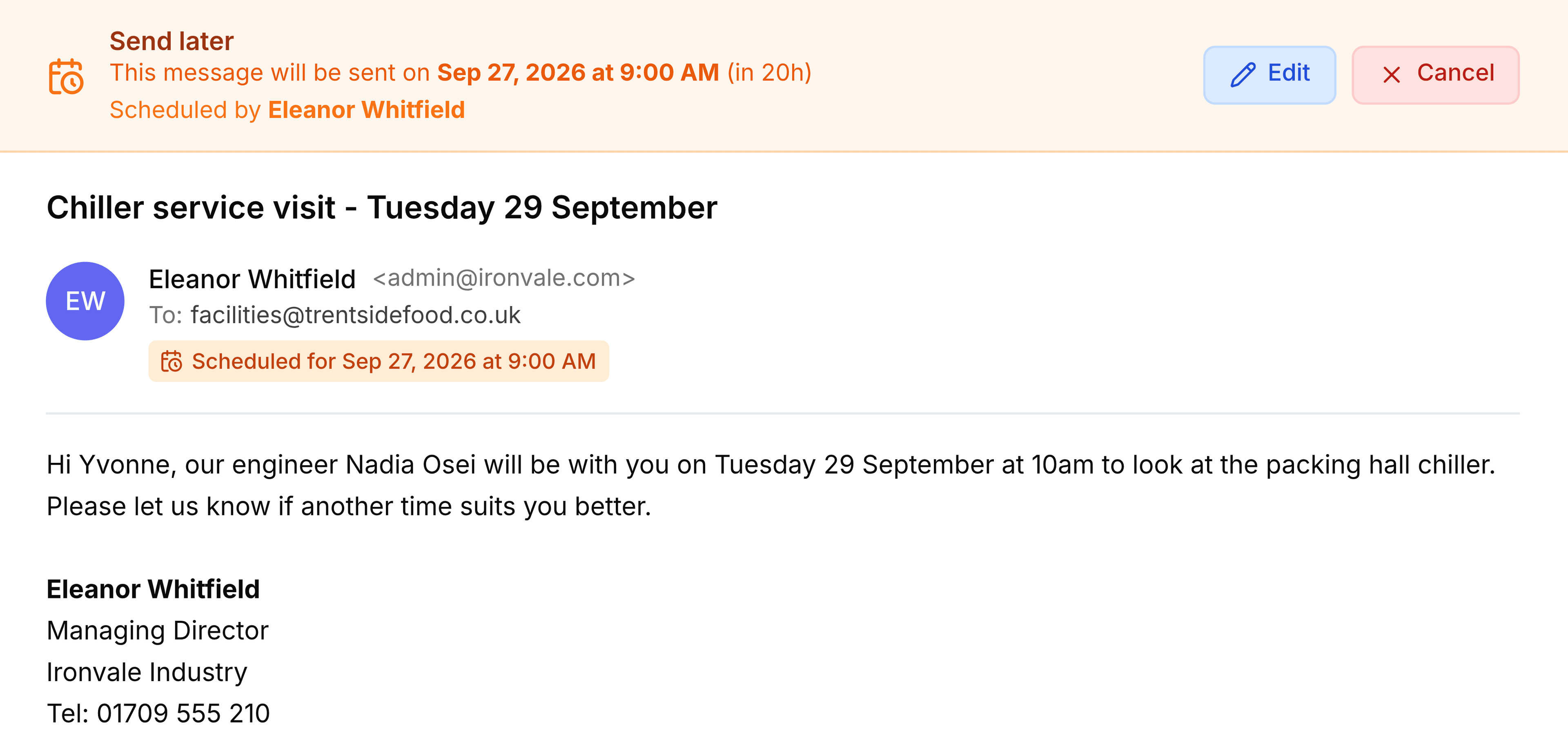
Select the email under Send Later to open it.
- Change the wording: for a new email, select Edit, make your changes, and select Save. It keeps its time. To change a scheduled reply, cancel it and schedule it again.
- Change the time: select Edit, then the arrow beside the send button and Send later, and pick a new time.
- Cancel it: select Cancel. The email won't be sent, and a message confirms Scheduled email cancelled. There's no confirmation first, so be sure.
Teammates can edit or cancel scheduled emails from a shared inbox too, and the banner shows who last edited one.
Reply now, follow up later
When you reply, the same arrow offers Send & snooze. That sends your reply now and takes the conversation out of your list until a time you choose, which is handy when you're waiting on the customer. From a shared inbox this moves it to Waiting for the whole team; use it from My work to keep it personal. See Snooze a conversation/Later.