







What Worklink covers

Attendance, leave and the employee records underneath both, in one application rather than three that disagree. Shifts, training, departments and designations sit alongside.

9:41
app.sorviai.com/worklink

Billing

Worklink, priced for the organisation

Choose a plan below, or compare plans.

Per user

Flexi

Per-user pricing, for the users you pick

₹48

/ user / month, billed annually

  • Suited to personal and small businesses
  • Priced per user, starting from a single user
  • Add or remove users at any time
  • Worklink, with roles and permissions for every user
  • Two-factor authentication and an audit trail

Every employee

Most popular

All teams

One plan for every employeeSave 55%

₹21.60

/ user / month, billed annually

  • Suited to professional teams
  • A minimum of 5 users, set for your organisation
  • Declare your headcount, then add employees as you grow
  • Worklink for every employee
  • Two-factor authentication and an audit trail

Custom

Enterprise

A bundle and terms shaped around you

Custom

price

  • Suited to organisations that need to scale
  • Choose the applications and user counts you need
  • Data import and migration with our team
  • Guided onboarding for every team
  • Your own domain

Then and now

Clear the desk, keep the know-how

  • Before: New starters shadow the owner

    With Worklink: A training programme with a mentor

Employees

Employees, departments and designations

The employee record is what attendance and leave both hang from. Departments and designations describe where somebody sits and what they are called, and the organisation chart above them decides whose records a lead can reach.

One record per person
Shifts, locations, leave balances and attendance all point at it, so a joiner is set up once and a leaver is closed once.
Departments and designations are records too
Both are maintained in the app rather than typed as free text on each person, so a rename lands everywhere at once.
The chart decides who sees whom
A lead reaches the records of the people under them on the chart, which is a different question from what their permissions let them do.

Attendance

Attendance, records and training

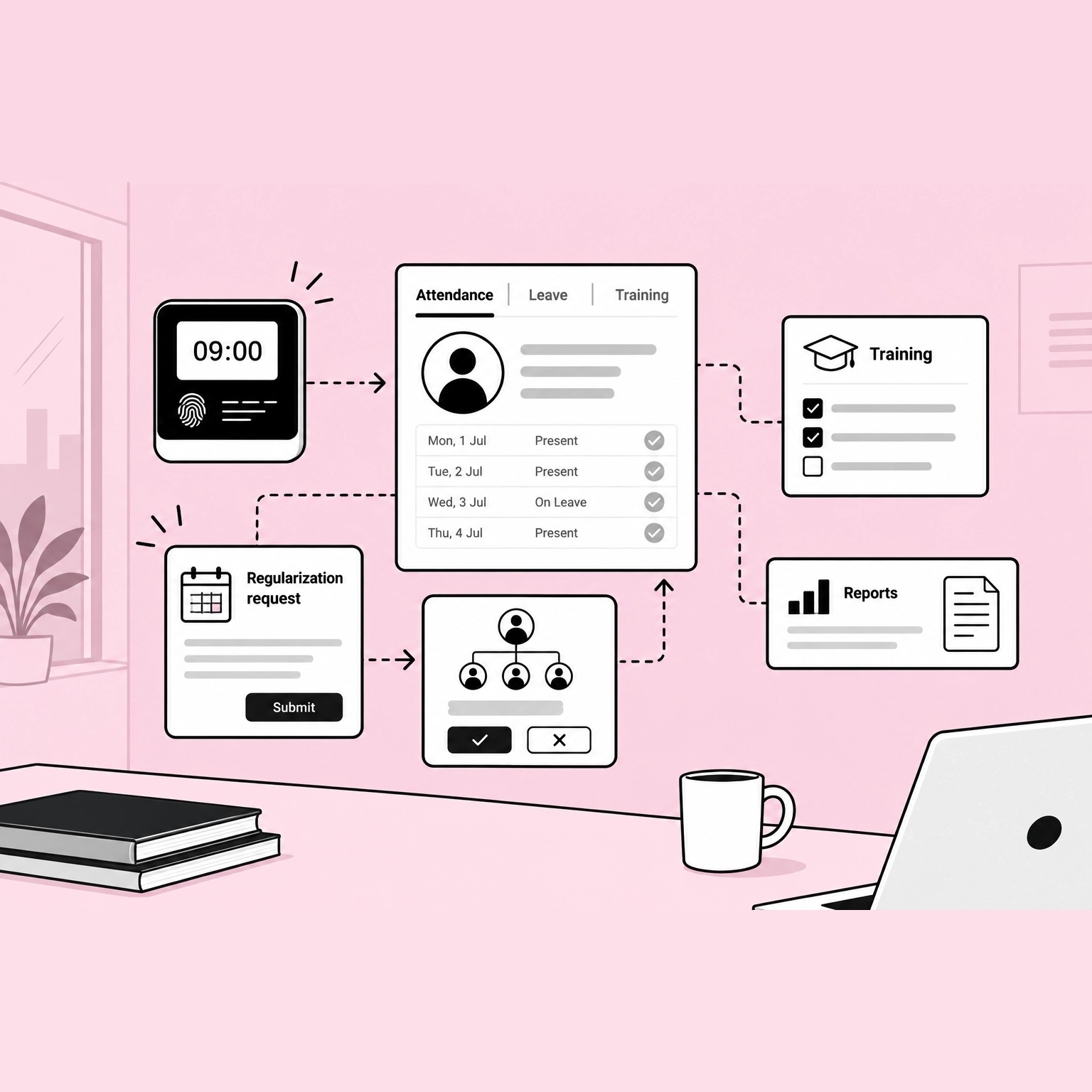
A day is clocked, recorded and left where it can be read back. The record is the same one a lead corrects and a report reads, so a question about last Tuesday has one answer rather than three.

The record is written once
Clock in, the day lands on the person’s own record, and a correction to it is a change to that record rather than a note kept beside it.
A correction is asked for, not made quietly
A regularization is raised against the day it concerns and goes to whoever the chart says approves it.
Training sits on the same record
What somebody has been trained on is held against them rather than in a spreadsheet somebody owns.

Kiosk

Kiosk and visitor management

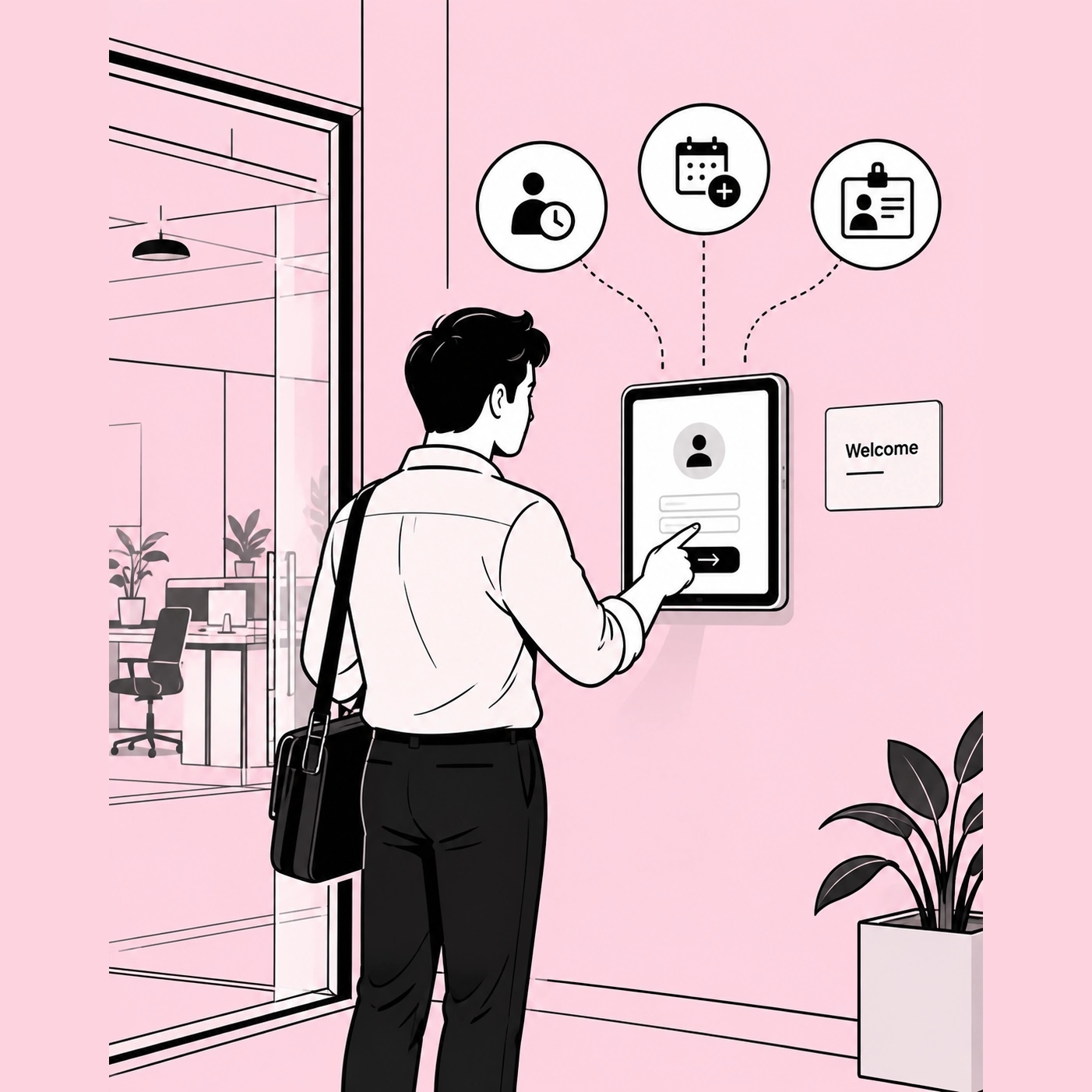
A tablet on the wall, paired once, standing open all day. Three things happen at it: somebody starts their day, somebody asks for a day off, and somebody who does not work here signs in. All three land in the same app the office already reads.

Touch to check in
A person punches with their own code, and the day lands on their record rather than in the tablet, so it reads back the same as a check-in made on a phone.
Apply for leave without a desk
The same screen takes a leave request against the balance, so somebody who never sits at a computer files their own rather than asking whoever does.
A visitor signs themselves in
They give their reason and the person they are here to see, and the arrival is a record with a host against it instead of a line in a book on the desk.

Roles and scope

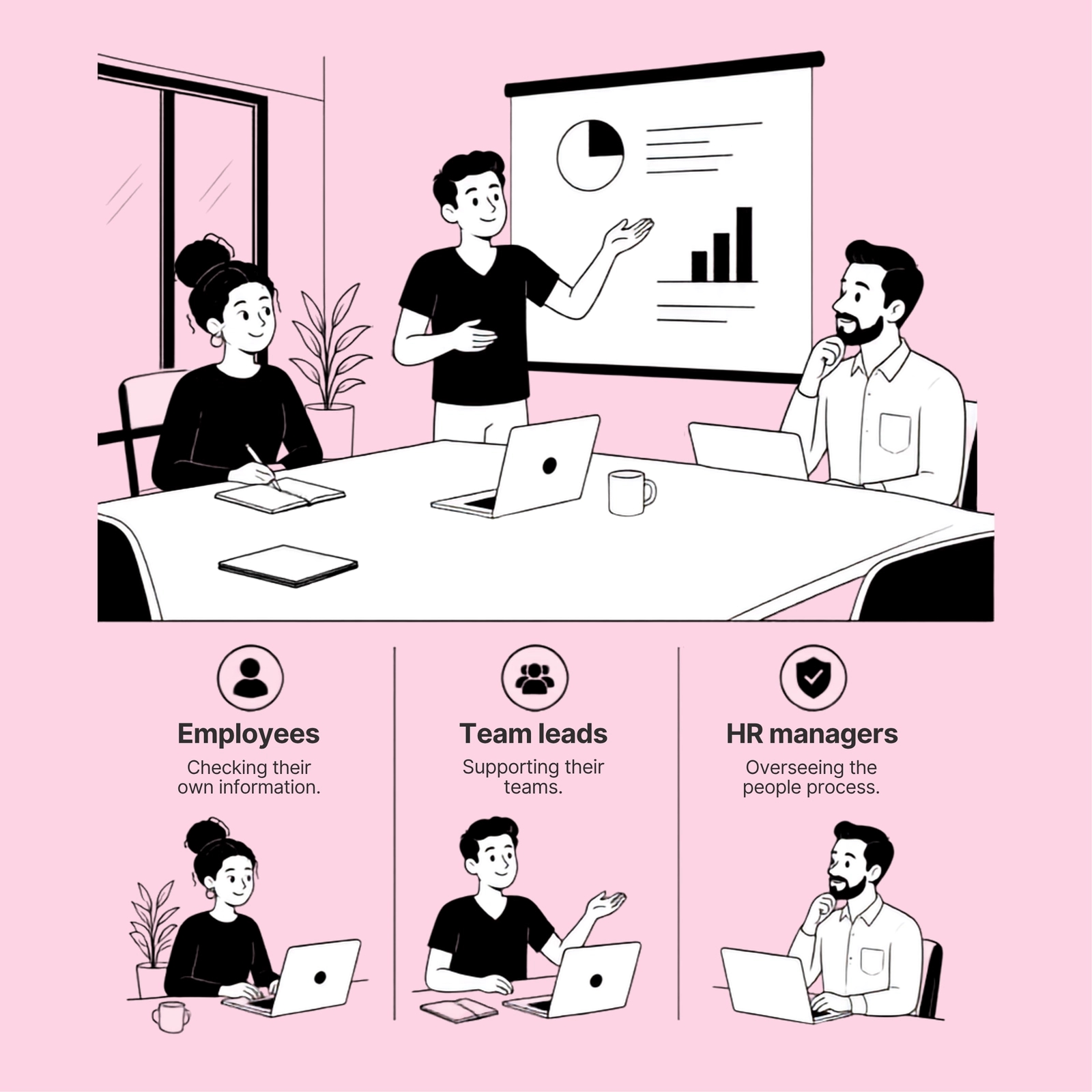
Each role sees the record its scope allows

Employees
Clock in, apply for leave and read your own record. The balance is yours to check, and nothing you can see depends on somebody remembering to send it to you.
Team leads
Approve leave and correct records within scope only. The list is read from the organisation chart, so it is correct on the day somebody joins the team and there is no setting to remember.
HR managers
Create employee records, edit shifts and locations, and read the organisation-wide roll-up because it was granted rather than because of a position on the chart. Five reports over the same period, and no report builder to learn.

FAQ

Questions about Worklink